Managing a Virtual Environment Classroom

The traditional physical classroom has not changed much in the past hundred years.  It contains desks and chairs for students, a teacher desk and chair, a board on which to write or project and wall space which is often decorated with appropriate curricular materials. The most important instructional resource in the classroom is the teacher. A skilled teacher manages the space, materials, furnishings, and students to ensure that students are engaged and learning.  A virtual learning space has less boundaries and limitations and a skilled teacher is again the most important resource.  The teacher must  manage the three-dimensional virtual space, guide students to navigate and interact with the environment and provide experiences to ensure that learning takes place.

Often virtual learning spaces are a replica of the traditional, providing a frame of reference for participants and taking advantage of the potential available in a virtual setting with ‘backchannel’ chat and follow-up assignments.  Teachers and students understand the traditional role of  “sage on the stage” and play the respective roles in the virtual setting, with the added benefits of a virtual setting.  Students can be physically in the same room using computers (a lab setting) requiring both real world and a virtual world classroom management strategies or in remote locations which would require more intensive virtual strategies to ensure engagement of students.  The teacher must :

  • Plan
  1. Design experiences which are interesting, relevant and aligned to curriculum objectives
  2. Plan appropriate amount of time for completing of tasks
  3. Provide direction and guidance so that students know expctations
  • Deliver and Guide
  1. Give clear directions
  2. Encourage questions and answer according to the protocol established
  3. Circulate (virtually and/or physically) among students to provide individual support and ensure engagement
  4. Institute a “buddy” policy for peer support
  5. Intervene when necessary

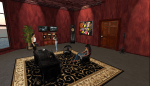
Norma Underwood uses both real-life and virtual world classroom management strategies to ensure learning for 5th - 8th grade art students on her sim in Reaction Grid.

Grid Hopping: One Av / Multiple Grids

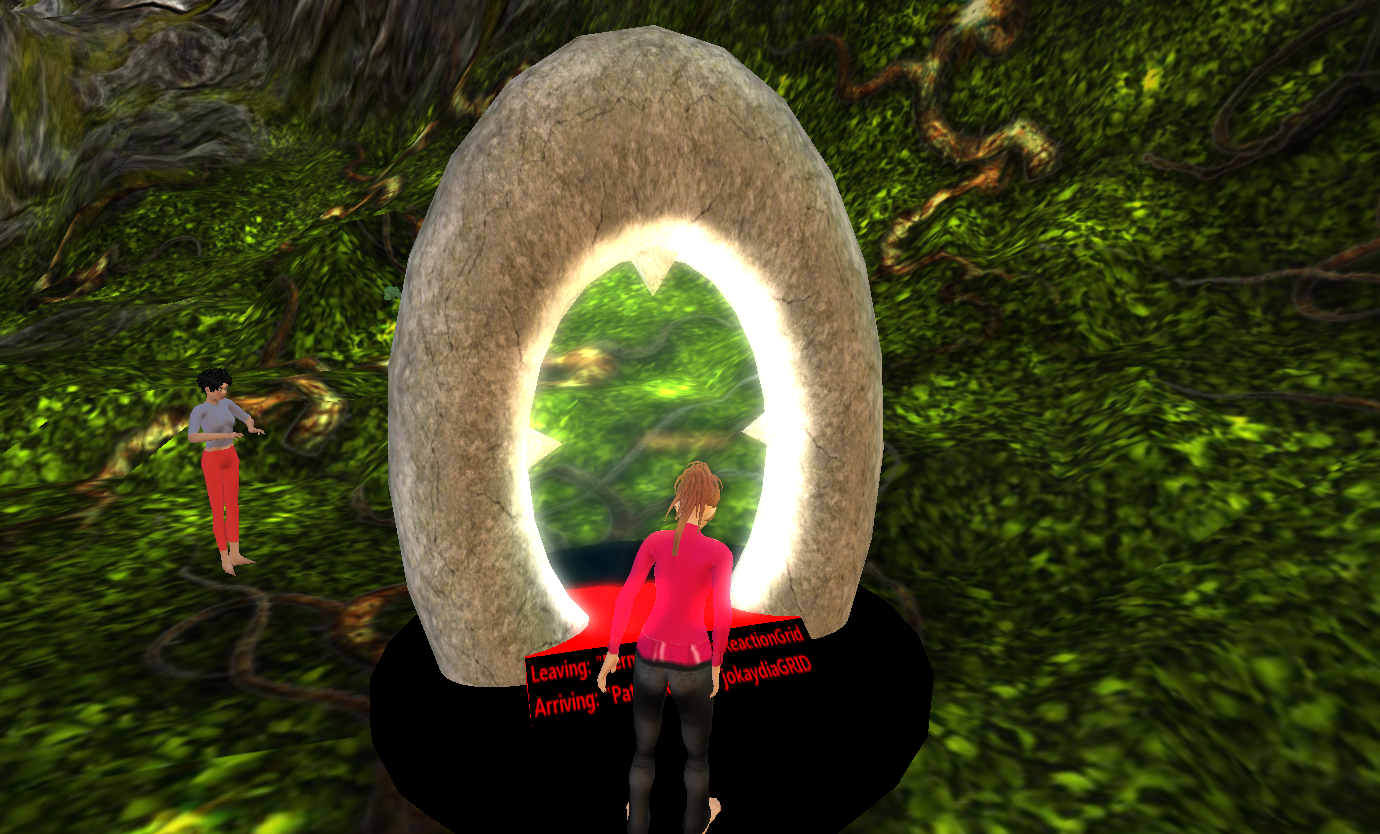
I joined an international group of “Gridizens” a couple of nights ago to experience a hypergrid.  Our Avatars teleported from one grid to another.  In this case we teleported from Reaction Grid to Jokaydia.  The technical aspects are explained on the Opensim wiki. Hopping from one grid to another – hypergridding –  is like linking from one website to another.  We do that everyday on the 2D web without really thinking too much about it, and many create those links in wikis, blogs, and in social networking and bookmarking pages.  A virtual world is a little more complicated because you have an agent or avatar that is entering the grid.  Typically, the user needs to register in each of the worlds and use a different avatar or agent, so the benefit of the hypergrid is that it allows you to use the same avatar in each of these worlds.

Entering the Hypergrid portal on Reaction Grid.

Implications for education and collaboration are significant.  Imagine being able to do extend what is now done in a flat environment like Facebook,  Google Docs, or Diigo in a 3D environment.  A single sign-on, a single username and password,  a single inventory repository simplifies entering the Virtual Universe and visiting the worlds within it.

On Jokaydia Grid with a member of the Jokaydia Grid - the tags indicate the Grid of origin for the visiting Avatars

VW – What’s the Point? Would a score help?

I have been in a cloud – in a trough of disillusionment.  As I encourage colleagues and superiors of the potential in using VW for teaching and learning – and actually get some to register and spend some (limited) time in a virtual world, I get the questions “So what is the point?”  or  “Ok I kinda get it – but is this the best way to…?”  Both are valid questions and questions like these require a thoughtful response.  Some people get it right away, others need guidance, support and demonstrations.  Many need proof – yes metrics.  A hunch is great, a description of happy children makes for good feelings but nothing works like data.

Rubrics are an effective way to capture observations and quantify what participants accomplish and the way in which they do so.  A simple rubric design may look something like this:

Communication Collaboration Problem Solving Use of Information Points
Objective: Participants will work together in teams of … to …..
Participant has minimal communication with other participants Participant works alone Participant has no unique contribution Participant includes only known information 1Points

each

Participant uses voice to effectively communicate with peers Participant demonstrates ability to work with 1 to 2 individuals primarily as a follower Participant participates in solving problems in a unique way Participant contributes to information by completing some research 2points

each

Participant uses both text and voice to collaborate with peers Participant collaborates with peers as a follower as well as a leader Participant provides unique contributions to solve problems Participant contributes with both known and newly researched information 3points

each

Participants would benefit knowing how well they are doing and the objective in the use of the environment needed to succeed. Success depends on the process. So points are awarded when students

  • work with others to accomplish a task
  • communicate effectively
  • locate and use information effectively
Gallery

Gartner Hype Wave

This gallery contains 1 photo.

Always good to triangulate your data – 1.  The Gartner  Hype Cycle/Wave indicates that “Virtual Assistants & Public Virtual Worlds are nearly through the Trough of Disillusionment, about to enter mainstream in 5-10 years” 2.  Recent Grant activity encouraging the use … Continue reading

Gallery

Get Inspired in the Virtual World

This gallery contains 20 photos.

Inspiration Island on Second Life is a visual and auditory treat that you will want to return to. Be sure that you have QuickTime loaded onto your computer, have audio and video streaming enabled, your speakers turned up and then … Continue reading

A Metaphor for Teaching Those We Don’t Understand

As I attempted to help a newcomer to SL and kept getting the response “I don’t see that.”  “Not on my screen”.  “Not there” “Don’t have that”, it hit me that teachers who are well-meaning but unprepared reach a level of frustration because their students “Don’t see that”.

The issue here was that I was using the OLD viewer, the viewer I am comfortable with and the newcomer was using the NEW viewer, the viewer available to newcomers to SL.  I knew what this new av needed to do and gave very specific instructions. However, the newcomer, trying to follow every step, became increasingly frustrated at being given directions for a view she did not have.  Then I became frustrated and the result was a complete lack of progress until I re-logged with the new viewer and figured out where the buttons were and how to find the functions I had been describing.  It did take some time, I was out of my comfort level and went back to my old viewer immediately following the “lesson”.  I never did find the “stop all animations”.

When a teacher is trying to teach students with a different view on life, a different culture, a different language background, a different perspective, a different comfort level – the same thing happens.  The student gets frustrated and the teacher gets frustrated resulting in lack of progress.  The solution is that the teacher acquires the necessary knowledge and skill set to be able to help the students being taught.  A teacher needs to see what the student sees, even if it is a little uncomfortable at first, in order to effectively support learning.

Advisory Panel to Offer Obama Ideas for Advancing STEM Education

Advisory Panel to Offer Obama Ideas for Advancing STEM Education.

Social Learning in Immersive Environments

Much is discussed on the topic of Social Networking and the potential use of this technology in education.   Research indicates that individuals benefit from a social approach to learning.  L. Rendell et al. states that “Social learning (learning through observation or interactionwith other individuals) is widespread in nature and is centralto the remarkable success of humanity…” .  Immersive environments have gained acceptance in post-secondary education for the past several  years. VLearning: Is The Future Of Online Education A 3D Virtual Classroom? describes several studies that determined a positive correlation between the increased interaction among classmates and instructors in virtual classrooms and involvement in the course work and comprehension of material.  It states, “… this to be particularly true for students who have a difficult time engaging in face-to-face discussions, but who will ask questions freely and contribute to live debates in a virtual classroom.”

In their book The New Social Learning Bingham and Connor devote a chapter to the topic of social learning in immersive environments, describing the successful uses in multiple corporate training programs.  Social learning involves interaction, engagement and mutual exchange and benefit to participants.

The research on the  successful use of immersive environments in professional development and post-secondary education are certainly reason to consider exploring these strategies in the K-12 sector.

Teen Grid Gone. What’s next in Virtual Worlds for Teen Students?

The recent announcement of the discontinuing of the Teen Grid on Second Life and allowing 16 and 17 year olds to register on the Second Life Main grid has sparked much conversation regarding digital responsibility and safety on the Internet and Virtual Worlds.  In conversations with colleagues, educators using the Teen Grid, Second Life residents and students I have some thoughts about what could and maybe should happen.

Operating a secure closed grid was a complicated venture and educational organizations were not exactly flocking to take advantage, for several reasons.  Costly fingerprinting and background checks for people who already have fingerprints and background checks, a reputation for adult content (despite the security and separate grid), and a general lack of knowledge and understanding of VW among educators were all barriers to taking advantage of the the Teen Grid.

One possibility now is for companies who are developing on Opensim or who have already developed Virtual Worlds with a more educational/student focus could fill the void.  Reaction Grid and Kaneva are both viable possibilities.  A safe environment designed for students under the age of 18 where student participation is monitored.  Supervision is key, one educator told me that even on the Teen Grid students figured out how to smuggle in or create inappropriate content (just as they do in the real world).

The second possibility is to use the Main grid on second Life, not a possibility for my district.  Certainly individuals under the age of 18 will now be allowed to register but a school district will not likely be convinced that the SL main grid environment is safe for students and there would be no liability issues.  Students I have talked to about this tell me that “it is boring” and they would rather play World of Warcraft with a pre-defined objective, points and great graphics and action.  Sims devoted to this type of activity may indeed draw some gamer youth, but not for educational purposes.

An electronic border is used to prevent an avatar from entering a restricted area.

If an educational institution does decide to go this route they could develop filters and restrictions to keep students in appropriate locations and to keep intruders out.  Filters would need to be in place to prevent particular activity and content, possible but complicated.

It is a complex issue,  one widely publicized, inappropriate event involving an underage person could set the entire focus of using these environments for purposes of education into a tailspin, not to mention what it could do to the student.  Educators who are interested in and involved with using the virtual environment for education are clearly innovators and are working for the benefit of children.  In their enthusiasm they must not forget safety and security of the students they teach and should ensure the teaching of digital responsibility to their students.