
Many virtual worlds require the downloading of a particular viewer to access the virtual world and to interact with it. Some require nothing but the web, a browser and a current operating system. Jibe is one of those worlds which I was able to visit recently.

Walking amongst giant chickens in JIbe. They clucked and pecked but I survived.
The look is similar to OpenSim or Second Life and the feel is like these worlds in MouseView, kind of takes getting used to. Creating in the environment seems less laborious than the virtual worlds I typically visit. The creation/building tool, available as a free add-on, is reminiscent of what you see in a typical graphics program.

A flat terrain in JIbe is "brushed" with hills.
Changing the terrain is as simple as painting with a digital brush. Adding a field of ferns was a s simple as dipping the brush into the “fern” paint and then brushing the terrain in with ferns.

Ferns "painted" into the terrain do not require individual placement.
I got the feeling that the creation and building within this web-base world was simpler than in the virtual worlds requiring a special browser. The interaction was not as smooth or easy for me. It seemed a little unstable but impressive that any of it could be done on the web on my Macbook Pro in Safari. Perhaps the potential lies in the limitations and lack of complexity.
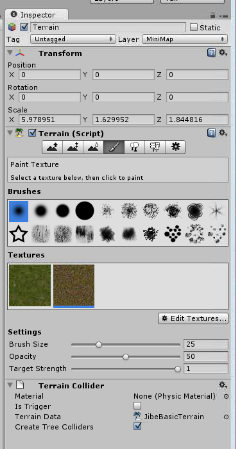
The Jibe Tools.
The registration was simple (name and password), avatar selections are reasonable and there is an asset store with objects for free and for purchase. The items can be imported into Jibe and placed, moved, and rotated as desired to complete the environment.
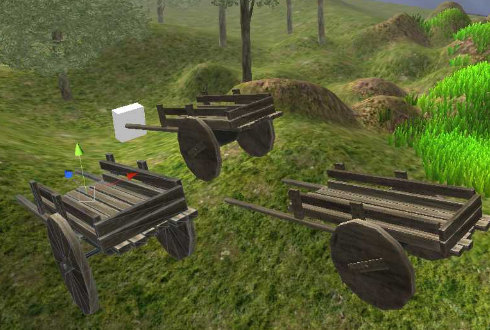
A Cart from the asset store is duplicated and added to the environment.
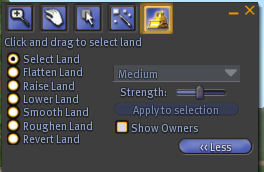
The simplified interaction and limited choices in this web-based world reminded me of the new “basic” browser in Second Life. Both types of virtual worlds are changing, maybe to accommodate an audience maybe to make a profit, maybe because people have a natural inclination to improve and change what they have. For whatever reason, the end user will ultimately benefit.




 Gridjumper's Blog